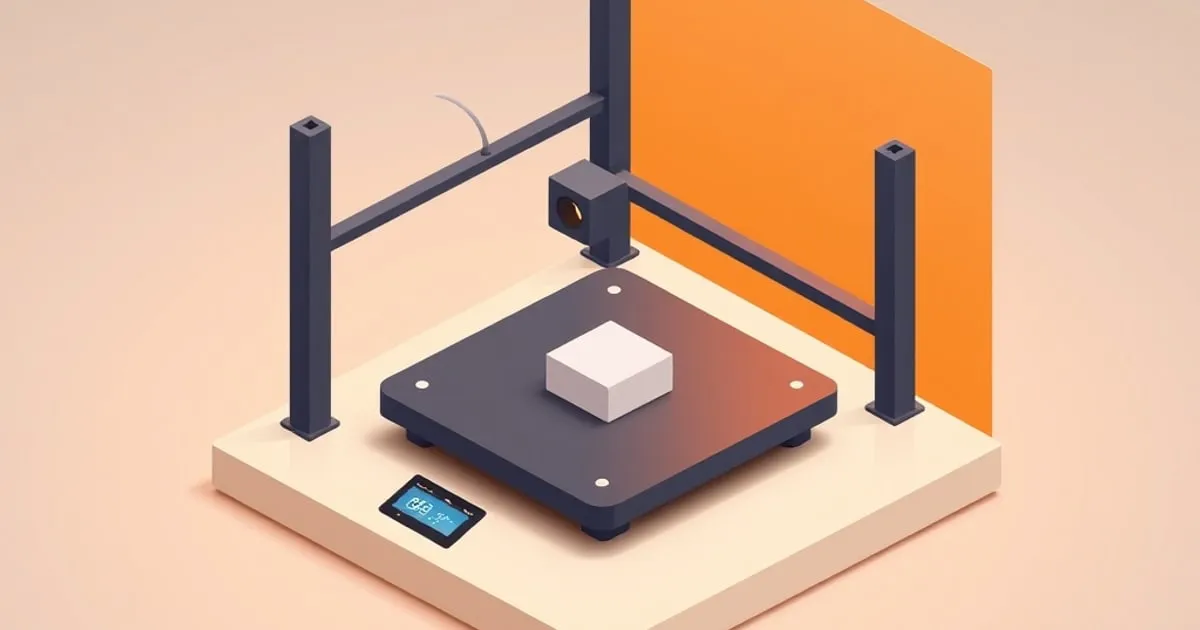
Bed Leveling Explained: Manual vs Auto and How ABL Probes Work
What bed leveling actually corrects, the difference between manual leveling and automatic bed leveling, and how the common ABL probe types — inductive, eddy current, BLTouch, and strain gauge — sense the bed.
Bed leveling is one of the most misunderstood steps in FDM printing, partly because the name is wrong. “Leveling” implies making the bed horizontal, but gravity isn’t the concern — what matters is that the print surface is parallel to the plane the nozzle moves in, and that the firmware knows the exact nozzle-to-bed distance. A tilted printer with a perfectly parallel bed prints fine. A perfectly horizontal bed that isn’t parallel to the gantry does not.
This guide separates the two things people lump together — physical leveling (tram) and distance measurement (probing) — and explains how automatic bed leveling actually senses the surface, including the trade-offs between probe types.
Two Separate Problems
There are two distinct geometric problems, and they need different solutions:
- Tilt / tram. Is the bed surface parallel to the gantry’s plane of motion? If the bed is tilted, the nozzle is close on one side and far on the other. This is a mechanical adjustment.
- Z-offset. What is the exact distance from the nozzle tip to the bed at the home position? Even a perfectly parallel bed prints badly if this single number is wrong.
Manual leveling addresses tilt. Automatic bed leveling (ABL) helps with both, but it does not replace the mechanical fix — it compensates for what’s left after it.
Manual Leveling
Manual leveling means adjusting the bed mechanically until it’s parallel to the gantry. On most printers this is done with screws or thumbwheels at the corners of the bed.
The process:
- Heat the bed to print temperature — the surface shifts slightly with heat, so level hot.
- Move the printhead to each corner in turn.
- Slide a sheet of paper between the nozzle and bed; adjust the corner screw until you feel light, consistent drag. Same drag at every corner.
- Check the center after the corners.
- Re-check the corners — adjusting one affects its neighbors. Two or three passes gets it consistent.
Manual leveling is the foundation. If the bed is badly out, no amount of software compensation rescues it cleanly.
Automatic Bed Leveling (ABL)
ABL uses a probe to measure the bed height at many points across the surface, builds a mesh model of the bed’s shape, and then adjusts the Z height in real time during printing to follow that contour. If the center of the bed dips 0.15mm, the printhead drops 0.15mm as it passes over the dip.
The crucial point that gets lost: ABL compensates for small variations, it does not fix a tilted or warped bed. If your bed is badly tilted, the firmware has to make large continuous Z corrections on every layer, which can produce its own artifacts and stresses the motion system. ABL is the fine correction on top of a manual level, not a substitute for it. The correct workflow is: manual-level first, then let ABL handle the residual.
ABL is especially valuable on surfaces that aren’t perfectly flat — a slightly warped sheet, a bed with a known dip — and on bed-slinger printers where the surface can shift slightly between prints.
Z-Offset Still Has to Be Set
ABL maps the shape of the bed, but it still needs a reference for the absolute nozzle-to-bed distance — the z-offset. With many probes, the probe triggers at a point above the bed, and the firmware needs to know how far below the trigger point the nozzle tip actually sits. Set it wrong and the whole mesh is shifted up or down: a perfectly mapped bed that’s uniformly too high or too low.
You dial z-offset in by watching the first layer and nudging in small steps — typically fractions of a millimeter — until the lines are slightly squished and fused. The mesh handles the shape; z-offset handles the height.
How ABL Probes Sense the Bed
Different probe technologies sense the surface in different ways, and the differences matter — especially for which build surfaces they work with.
Inductive Probes
An inductive probe generates an oscillating electromagnetic field and detects when a conductive object enters it. It triggers as it nears a metal bed, without touching.
- Works with: metal build plates.
- Doesn’t work with: glass and other non-conductive surfaces — they’re effectively invisible to the sensor.
- Caveat: the trigger distance can drift with temperature, since the sensor electronics and the bed both change with heat. Probing at print temperature reduces this error.
Eddy Current Probes
A newer relative of the inductive probe, the eddy current sensor runs at a higher frequency without a ferromagnetic core and returns a proportional distance value rather than a simple on/off trigger. That lets it scan the surface continuously and at speed, building a dense mesh quickly.
- Works with: conductive (metal) beds.
- Strength: fast, high-resolution non-contact scanning.
- Caveat: like inductive probes, it needs a conductive surface and can be sensitive to temperature; good implementations compensate for this.
BLTouch and Similar Touch Probes
A BLTouch (and clones like the CR Touch) deploys a small pin that physically touches the bed; a Hall-effect sensor inside detects the moment the pin retracts on contact. Because it makes physical contact, it works on any surface.
- Works with: any bed — metal, glass, textured PEI, anything.
- Strength: surface-agnostic, mechanically simple, well-supported.
- Caveat: moving parts can wear or misdeploy over time, and it physically taps the surface at each point.
Strain Gauge / Nozzle-as-Probe Systems
Some modern printers skip a dedicated probe and use the nozzle itself as the probe, sensing contact through a strain gauge or load cell when the nozzle touches the bed. This eliminates probe-offset error entirely, because the thing measuring is the thing that prints.
- Works with: any surface.
- Strength: no z-offset guesswork between a separate probe and the nozzle — the nozzle is the reference.
- Caveat: the nozzle must be clean; a blob of cooled filament on the tip throws off the contact point.
A Quick Comparison
| Probe type | Contact | Works on glass | Notable trait |
|---|---|---|---|
| Inductive | No | No | Metal beds only; temperature drift |
| Eddy current | No | No | Fast scanning; metal beds only |
| BLTouch / CR Touch | Yes | Yes | Surface-agnostic; moving pin |
| Strain gauge / nozzle | Yes | Yes | No probe-offset error |
Practical Recommendation
Whatever probe your printer has, the routine is the same: manual-level the bed mechanically, run ABL to map what’s left, and dial in z-offset by watching the first layer. ABL is a powerful aid, but it amplifies a good manual level rather than replacing it. The single most common ABL mistake is skipping the manual step and asking the firmware to compensate for a bed that’s genuinely crooked.
If your build surface is glass or another non-conductive material, that choice constrains your probe options — inductive and eddy-current sensors can’t see it, so a touch probe or a nozzle-contact system is required. Match the probe to the surface, level mechanically, and the first layer follows. Once the bed is mapped, dialing in the rest of the first layer is covered in fdmdesk’s first-layer calibration walkthrough ↗, and the surface itself is covered in our bed surface guide ↗.
For more context, Bambu Lab printer reviews ↗ covers related topics in depth.
Related
Nozzle Size and Layer Height: How to Choose Both Together
Nozzle diameter and layer height aren't independent settings — one constrains the other. A reference guide to picking both for detail, strength, or speed, including the layer-height rules tied to nozzle size.

Print Speed vs Quality: Where Input Shaping Changes the Math
What actually limits print speed, why high-speed printers don't all show ringing, and how input shaping and pressure advance let modern FDM machines run fast without the usual quality penalty.

Flow Rate Calibration: Getting Dimensional Accuracy Right
How to calibrate flow rate for accurate, well-bonded prints — the single-wall method, the calibration cube, and where flow rate fits relative to e-steps and per-material tuning.